Platform

Every tool your
closeout needs.

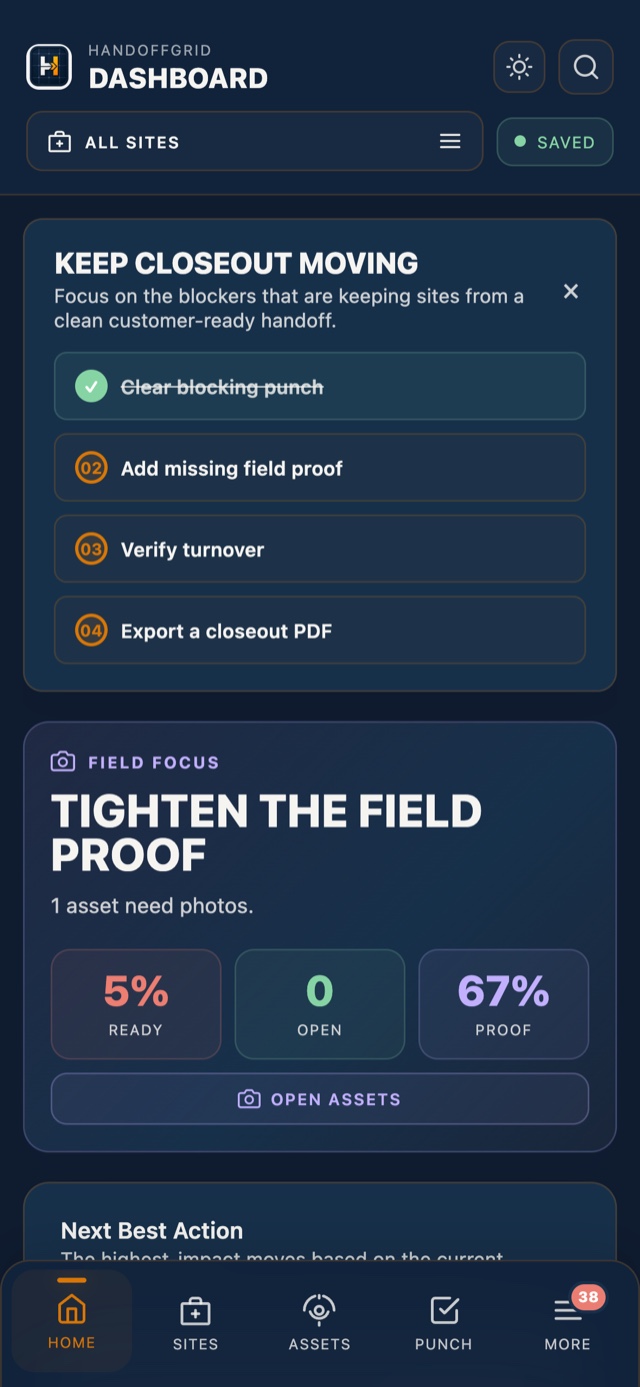
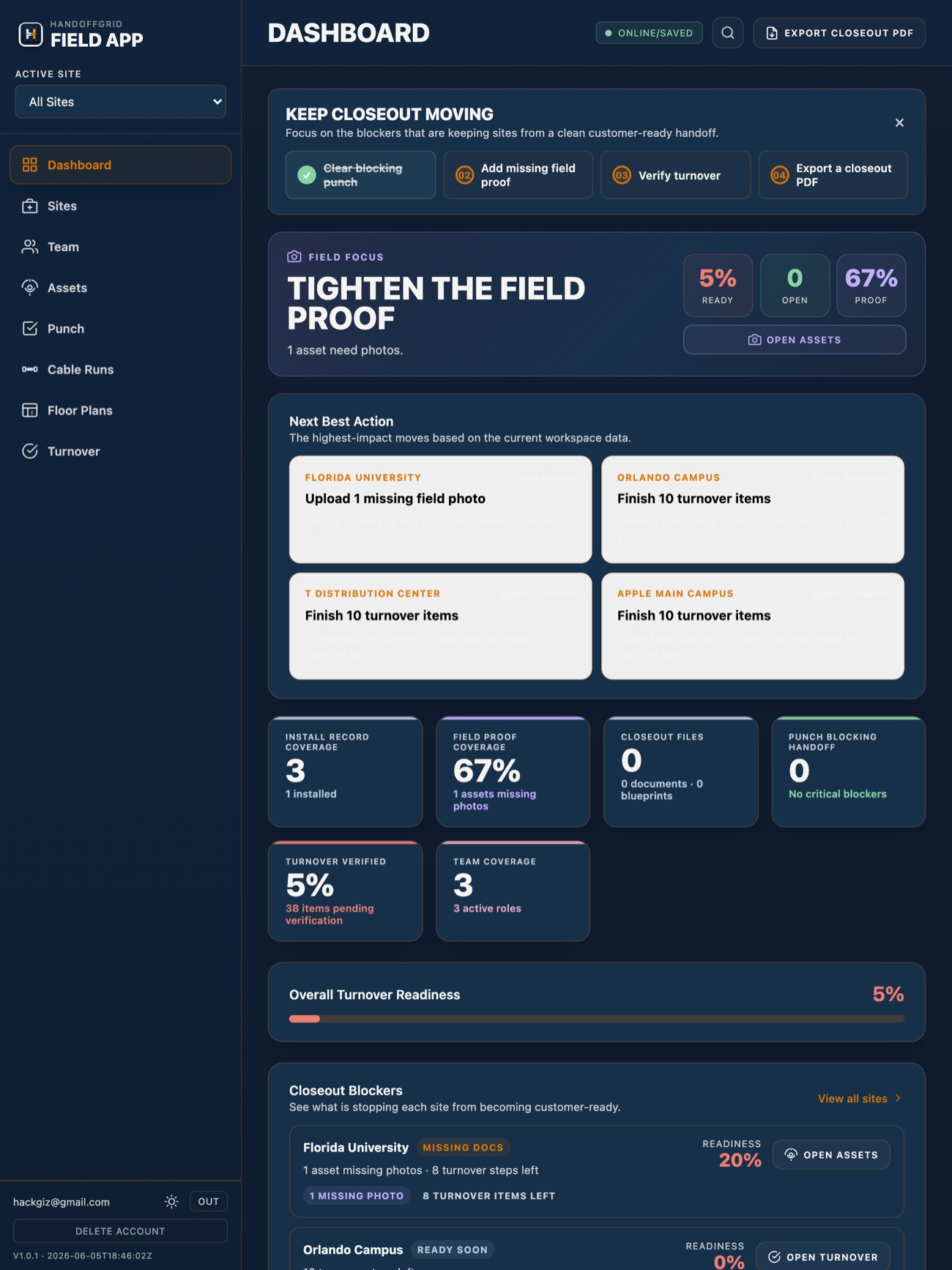
HandoffGrid gives physical security teams one place to track assets, close punch items, verify turnover, and hand off a project that speaks for itself — with a branded PDF report to prove it.

Start Free See Pricing →
Feature 01

Asset Tracking

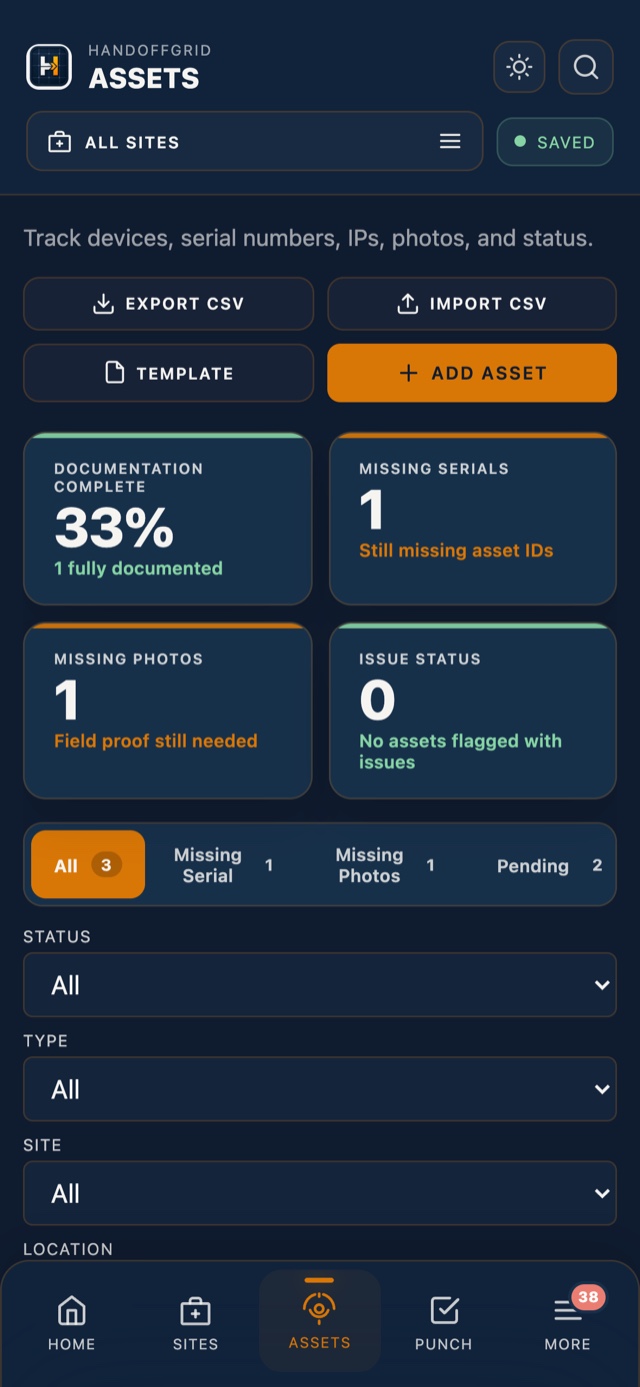
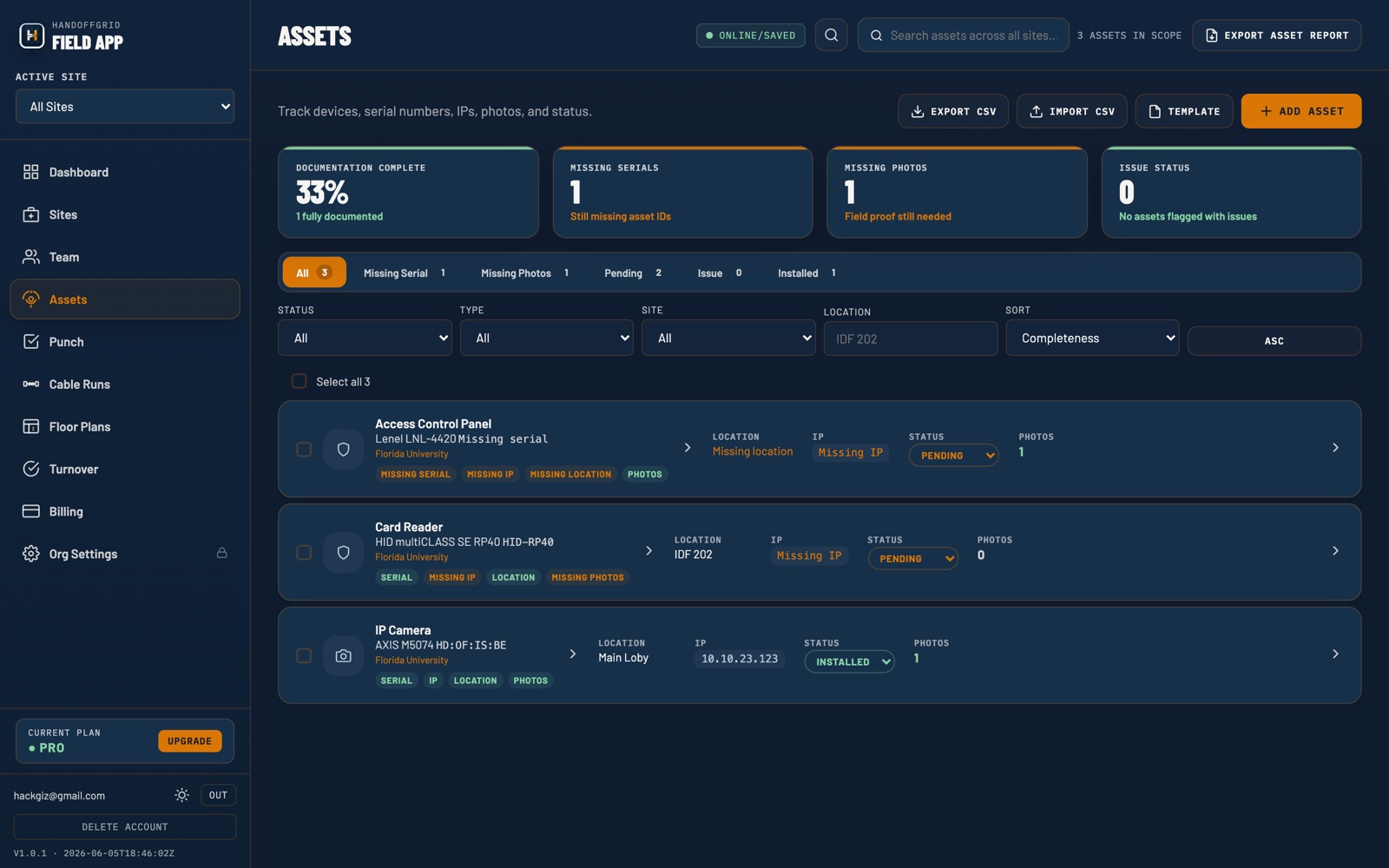
Every device, documented. Log cameras, card readers, panels, intercoms, and any other equipment with serial numbers, IP addresses, locations, and field photos. Built-in autocomplete for Axis, Hanwha, and other major manufacturers speeds up data entry in the field.

  • Device-level records: model, serial, IP, location, notes
  • Manufacturer autocomplete for fast field entry
  • Photo attachments per asset with full-size viewer
  • Filter and search across all sites instantly
  • Asset status tracking: installed, pending, issue
Asset Register — Building A
CAM-001 · Axis P3245-V · Lobby Installed
CAM-002 · Axis P3245-V · Stairwell B Installed
DR-014 · HID Edge EH400 · Server Room Pending
NVR-01 · Hanwha WRN-1610 · IDF Rm 3 Installed
24
Total Assets
21
Installed
3
Pending
Feature 02

Punch List

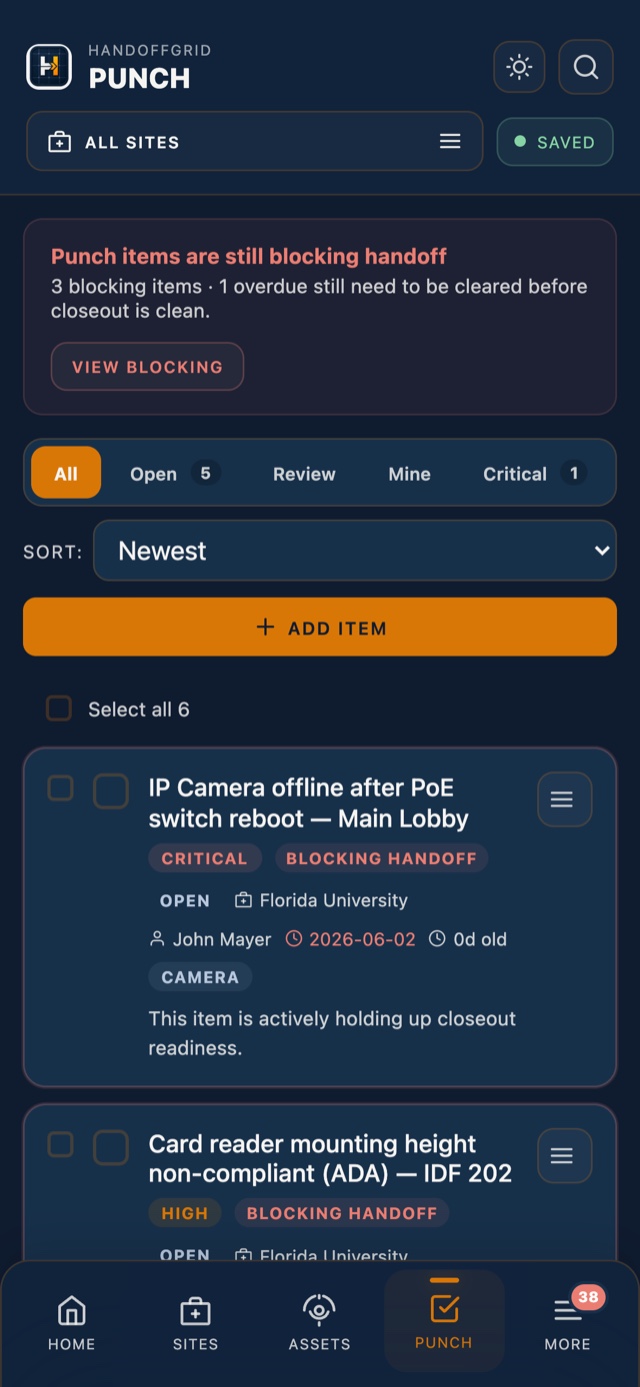
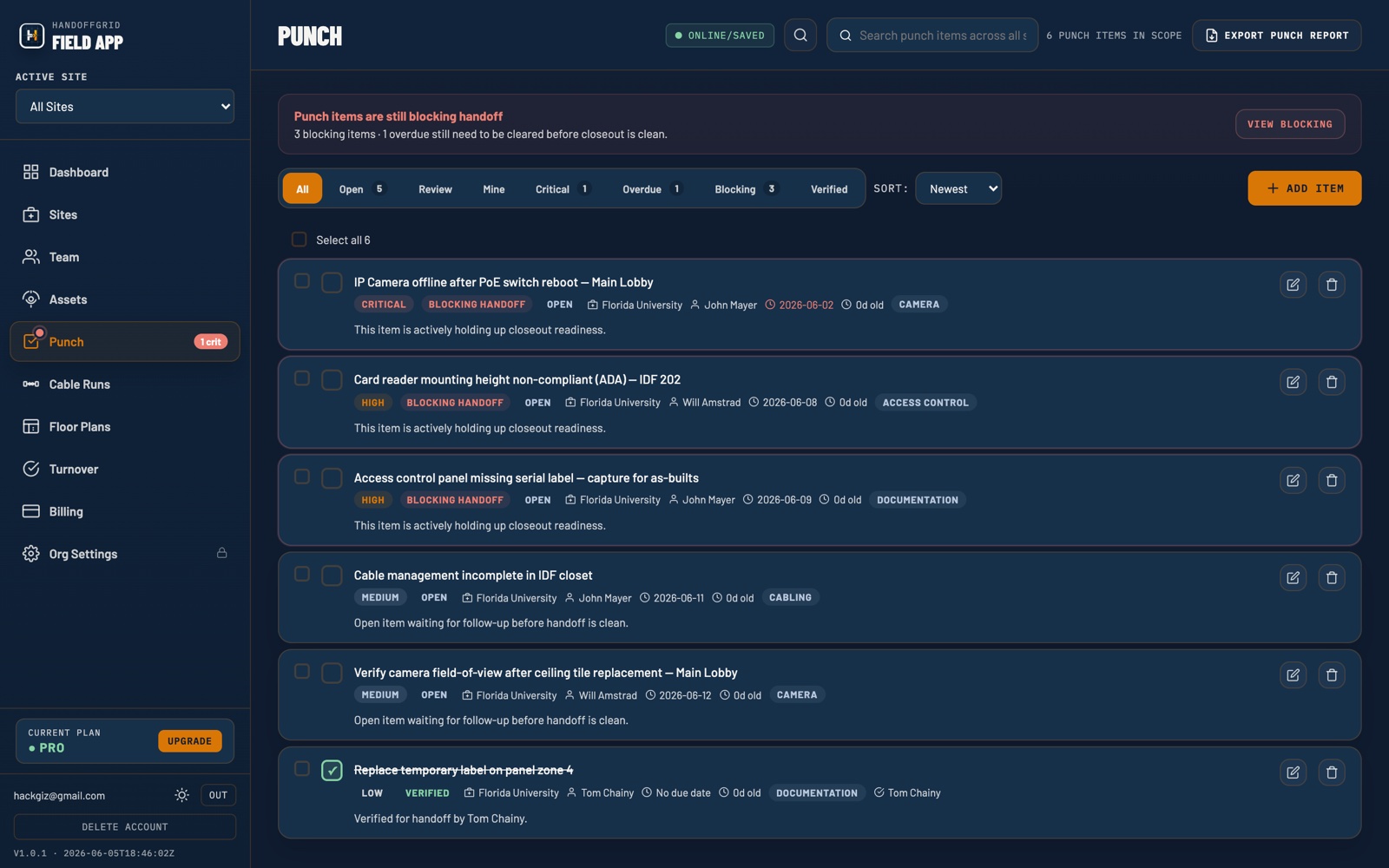
Every punch item tracked from open to closed. Assign priorities, set due dates, attach photos, and thread comments on each item. Assignees get automatic email notifications when items are created or updated, and daily reminders when items go overdue.

  • Priority levels: low, medium, high, critical
  • Assign items to team members with due dates
  • Photo attachments and threaded comments per item
  • Automatic email to assignees on creation and update
  • Daily overdue reminders so nothing gets missed
  • Quick-resolve from dashboard without leaving the page
Open Punch Items — Site: Eastgate Campus
Camera offline — NVR port conflict · Loading Dock Critical
Card reader height non-compliant — ADA · Main Entry High
Cable management incomplete · IDF Closet Medium
Label missing on panel zone 4 Resolved ✓
3 open · 1 resolved · 2 overdue reminders sent
Feature 03

Turnover Checklist

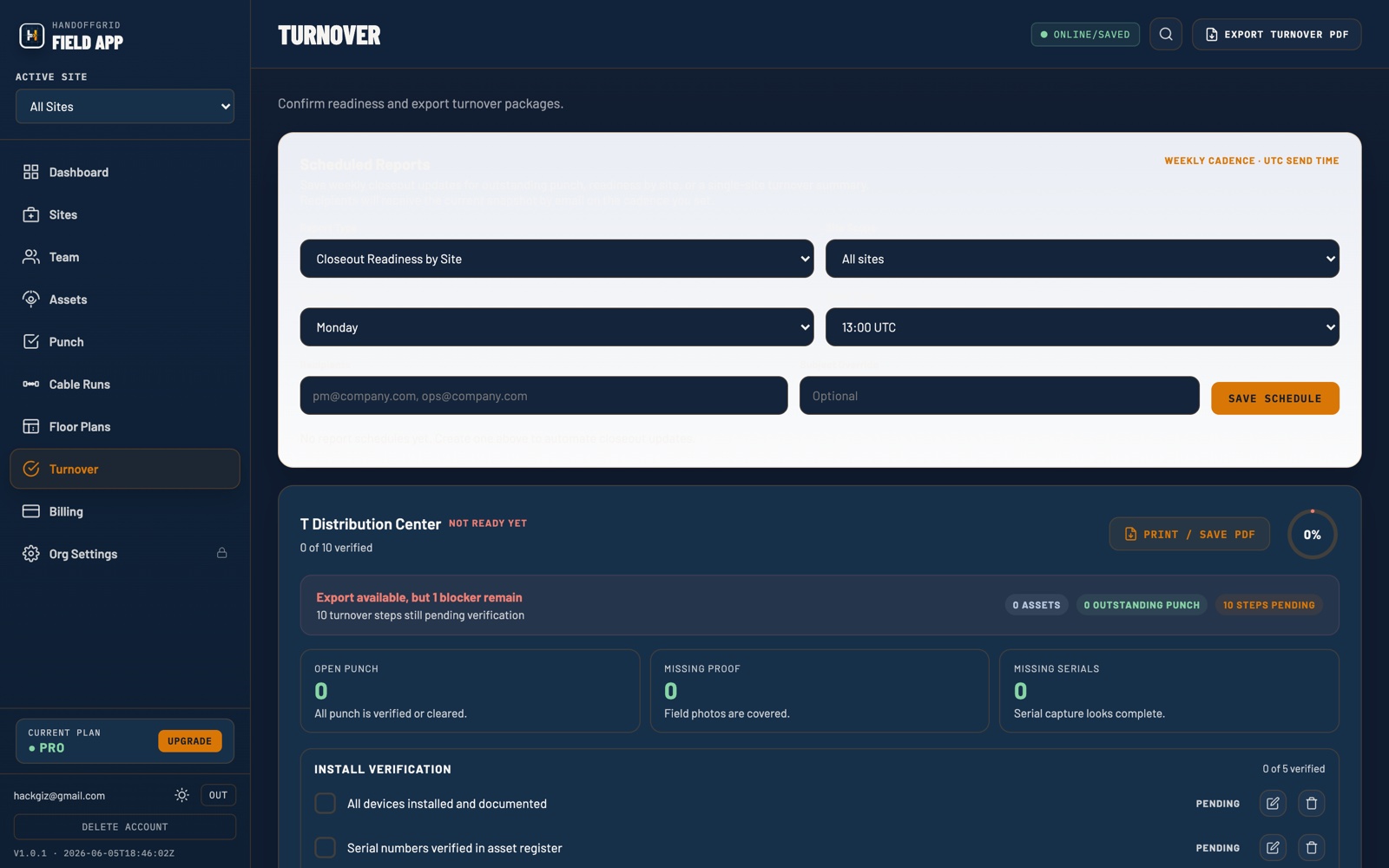
A structured pre-closeout verification list that ensures nothing gets missed before you hand off the keys. Track physical asset verification, training completion, documentation delivery, and system testing — all in one place with real-time progress.

  • Pre-built checklist covering the full closeout workflow
  • Customizable items for your specific project requirements
  • Progress bar per site so you always know where you stand
  • Mark a site officially closed when all items are complete
  • Punch list must be clear before site can close — enforced
Turnover Checklist — Site: Westlake Office
All assets installed and tested Complete ✓
As-built drawings delivered Complete ✓
Customer admin training completed Complete ✓
Punch list cleared Pending
Signed acceptance form received Pending
3 / 5 complete
Feature 04

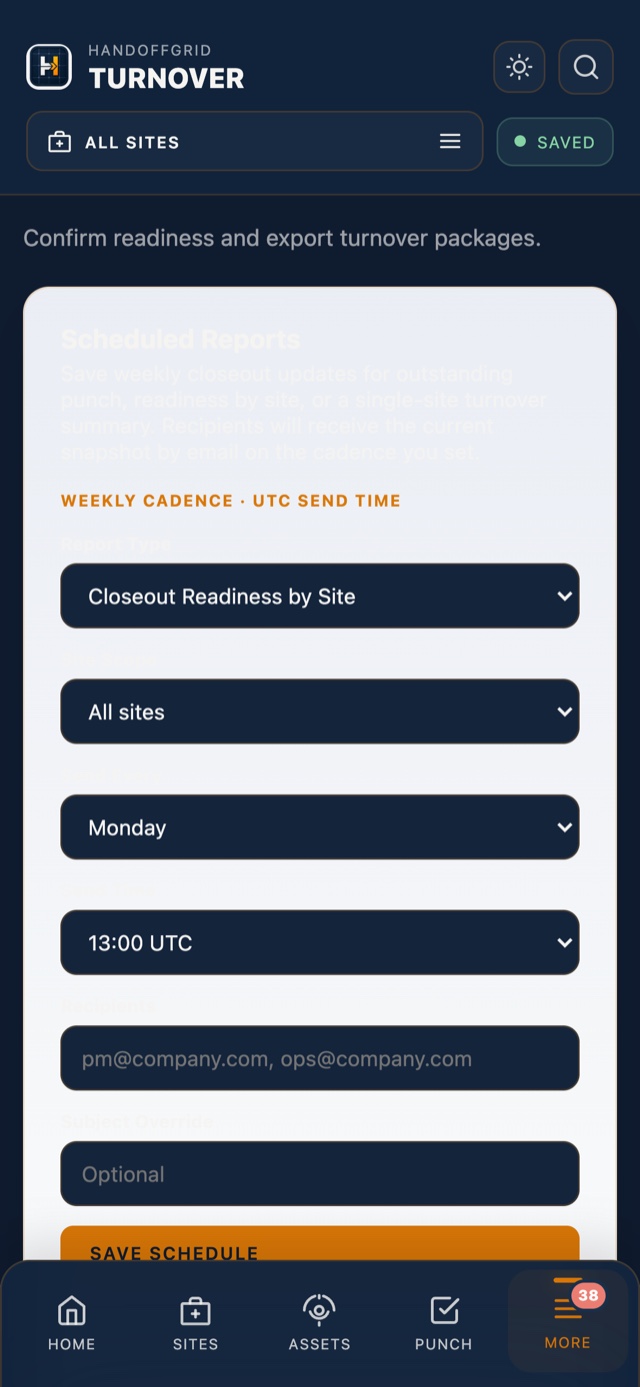
PDF Closeout Report

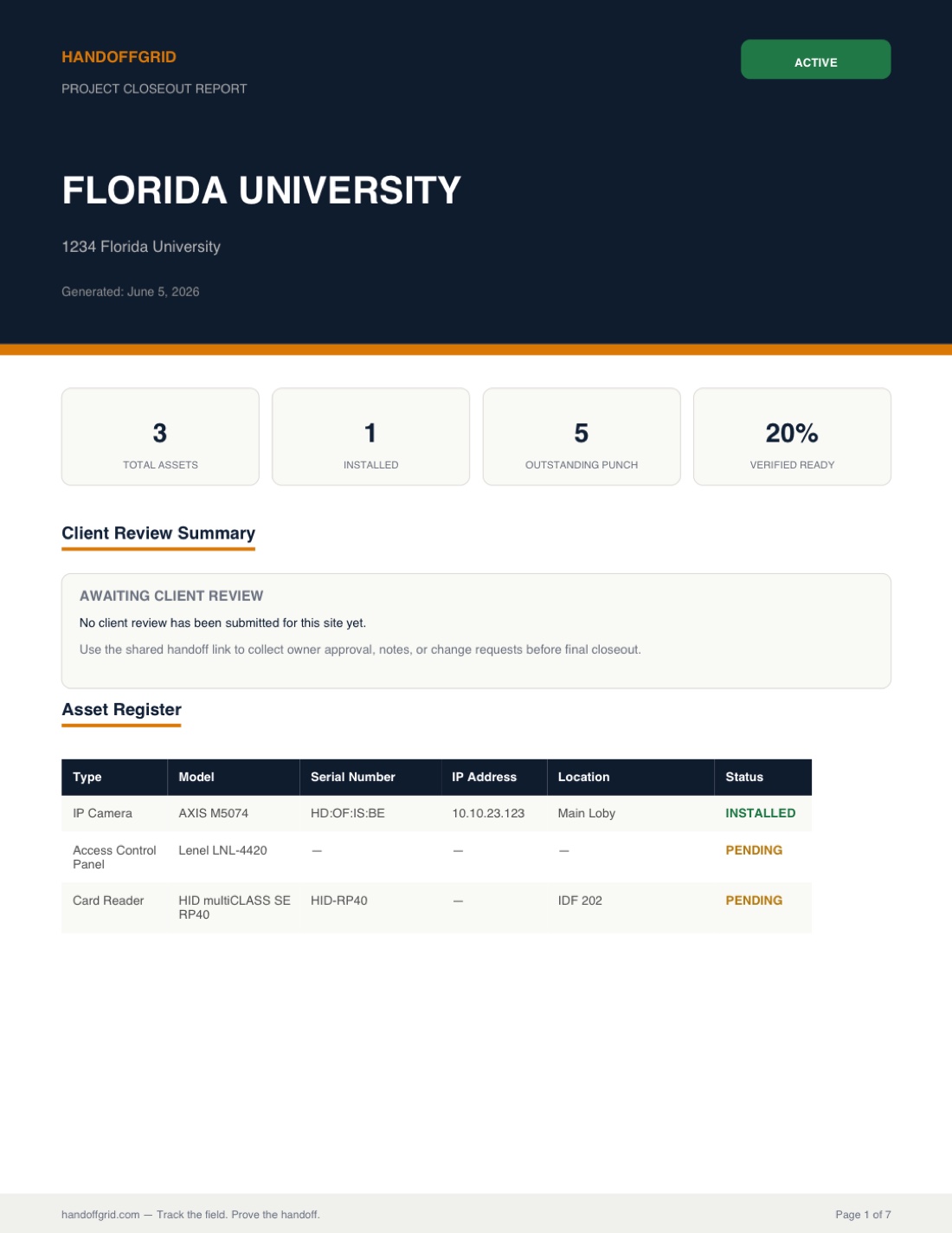
One click. One document. A complete, professionally formatted closeout report with your full asset register, punch list status, turnover checklist, and field photos — ready to hand to the customer, the GC, or the client's facilities team. Team plan users get custom branding with their company logo.

  • Full asset register with serial numbers, IPs, and locations
  • Punch list status with resolution history
  • Turnover checklist with completion status
  • Field photos embedded inline with each asset
  • Custom company branding for Team plan users
  • Generated instantly — no formatting, no spreadsheets
Security Closeout Report
Eastgate Corporate Campus
Generated April 9, 2026
24
Assets
0
Open Punch
5/5
Turnover
▣ Powered by HandoffGrid
Feature 05

Team & Collaboration

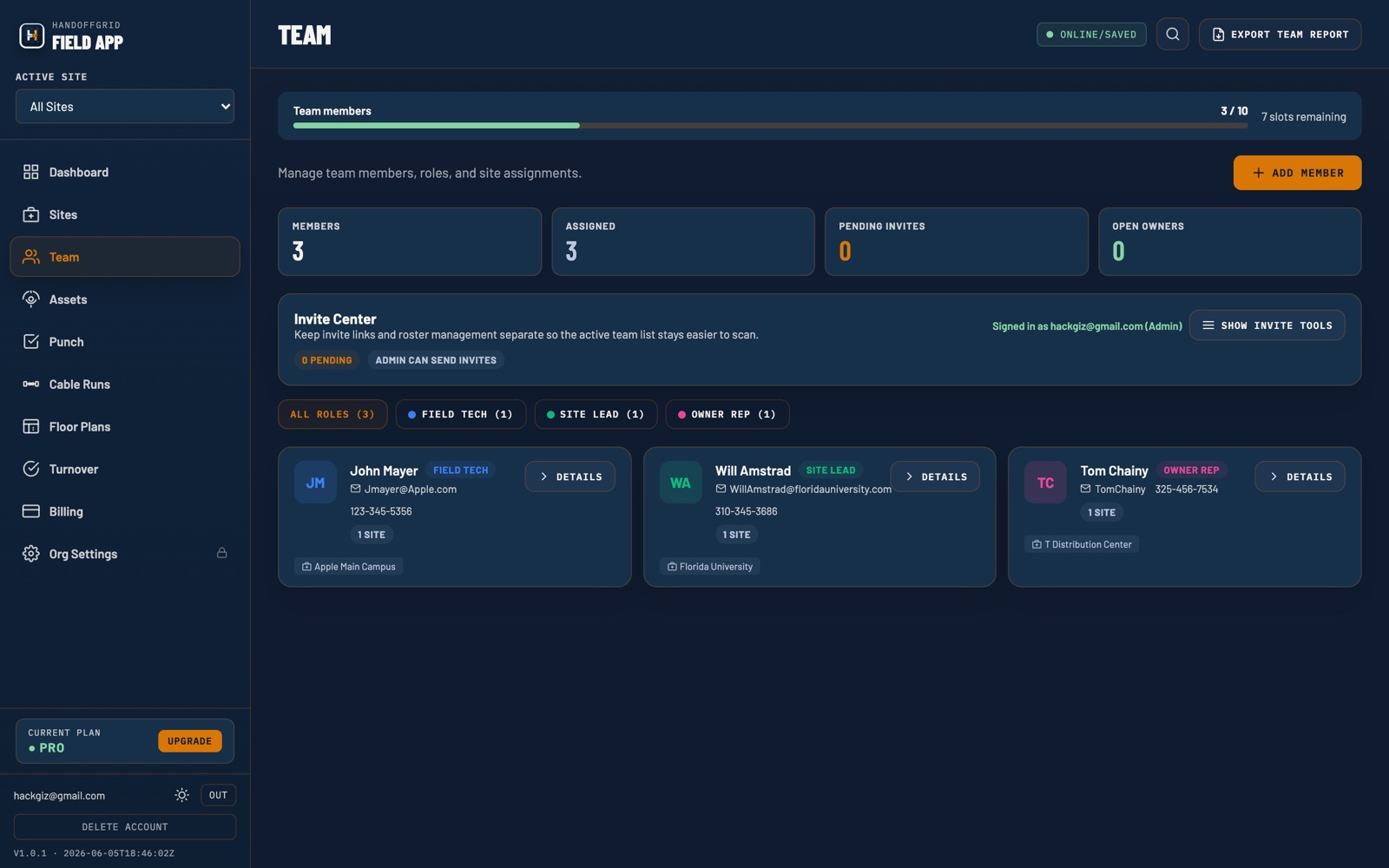
Invite your project team by email and assign them to specific sites. Role-based access means field techs see what they need, PMs manage the full picture, and owner reps get read-only visibility without the ability to accidentally change something. Everything syncs in real time across every device.

  • Invite team members by email with one click
  • Six role types: Owner, Admin, Project Manager, Site Lead, Field Tech, Owner Rep
  • Real-time sync — every team member on the same live view
  • Activity log shows who did what and when
  • Works on any device including mobile browsers
Team — Eastgate Project
Mike Torres · mike@integrator.com Project Manager
James Park · james@integrator.com Field Tech
Sarah Lin · slin@eastgatecorp.com Owner Rep
Chris Daly · cdaly@integrator.com Site Lead
4 members · All online · Last sync 2 min ago
Feature 06

Floor Plans

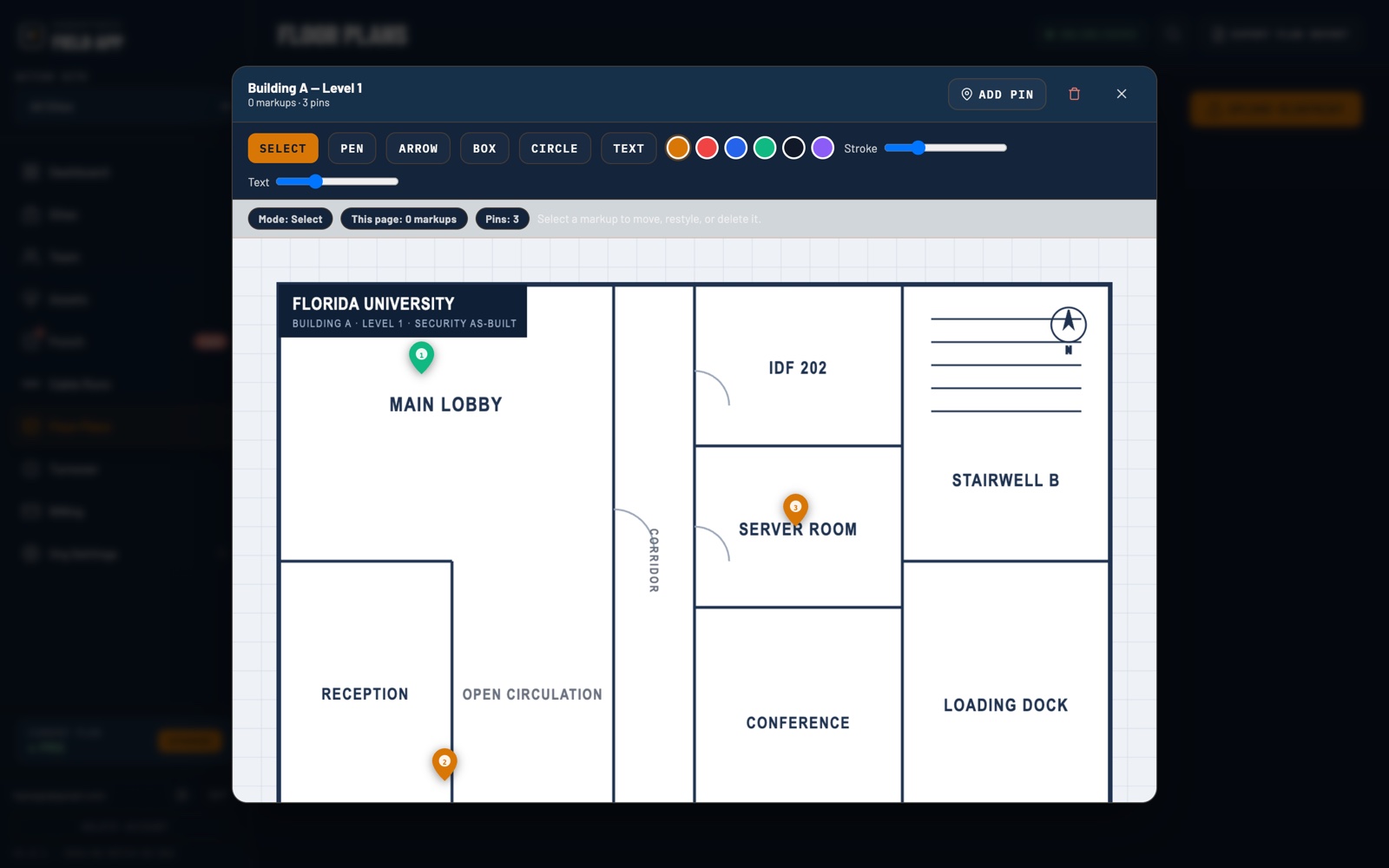
Upload your project floor plans and attach them directly to a site. Field techs and PMs can reference the exact layout during installation and inspection — no hunting through email attachments or Dropbox folders.

  • Upload PDF or image floor plans per site
  • Attach multiple plans per site — floor by floor
  • Full-size viewer for field reference on any device
  • Plans travel with the site record into the closeout PDF
  • Stored securely alongside all other project data
Floor Plans — Eastgate Corporate Campus
Level 1 — Main Lobby & Reception PDF
Level 2 — Open Office & IDF Closet PDF
Level 3 — Executive Suite IMG
Server Room — Detail Layout IMG
4 plans uploaded · Attached to site record
Feature 07

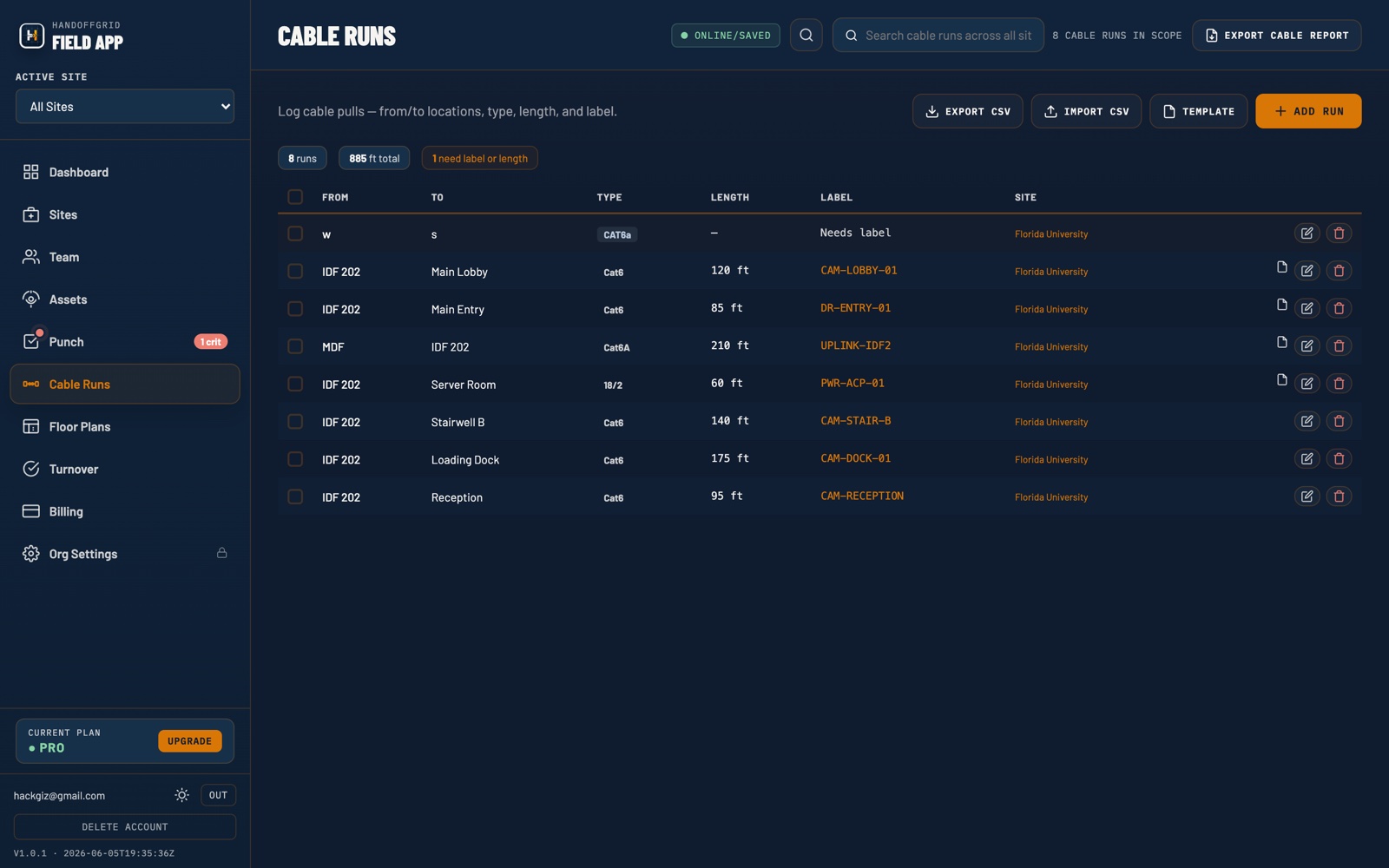
Cable Runs

Document every cable run as it's pulled — from head-end to device, with length, type, label, and termination status. No more guessing which cable goes where during final walk-through or troubleshooting calls six months after closeout.

  • Log FROM/TO locations with cable label and type
  • Track length, conduit path, and termination status
  • Link runs directly to an asset record
  • Filter by site, status, or cable type instantly
  • Included in the PDF closeout report as a cable schedule
Cable Schedule — Eastgate Corporate Campus
CAM-001 · C1-001 Terminated
IDF-1 → Lobby CAM-001 · Cat6 · 187 ft
DR-014 · C1-014 Pending
IDF-1 → Server Room DR-014 · Cat6 · 42 ft
NVR-01 · C1-NVR Terminated
MDF → Server Room NVR-01 · SM Fiber · 210 ft
3 runs · 2 terminated · 1 pending · 439 ft total
Feature 08

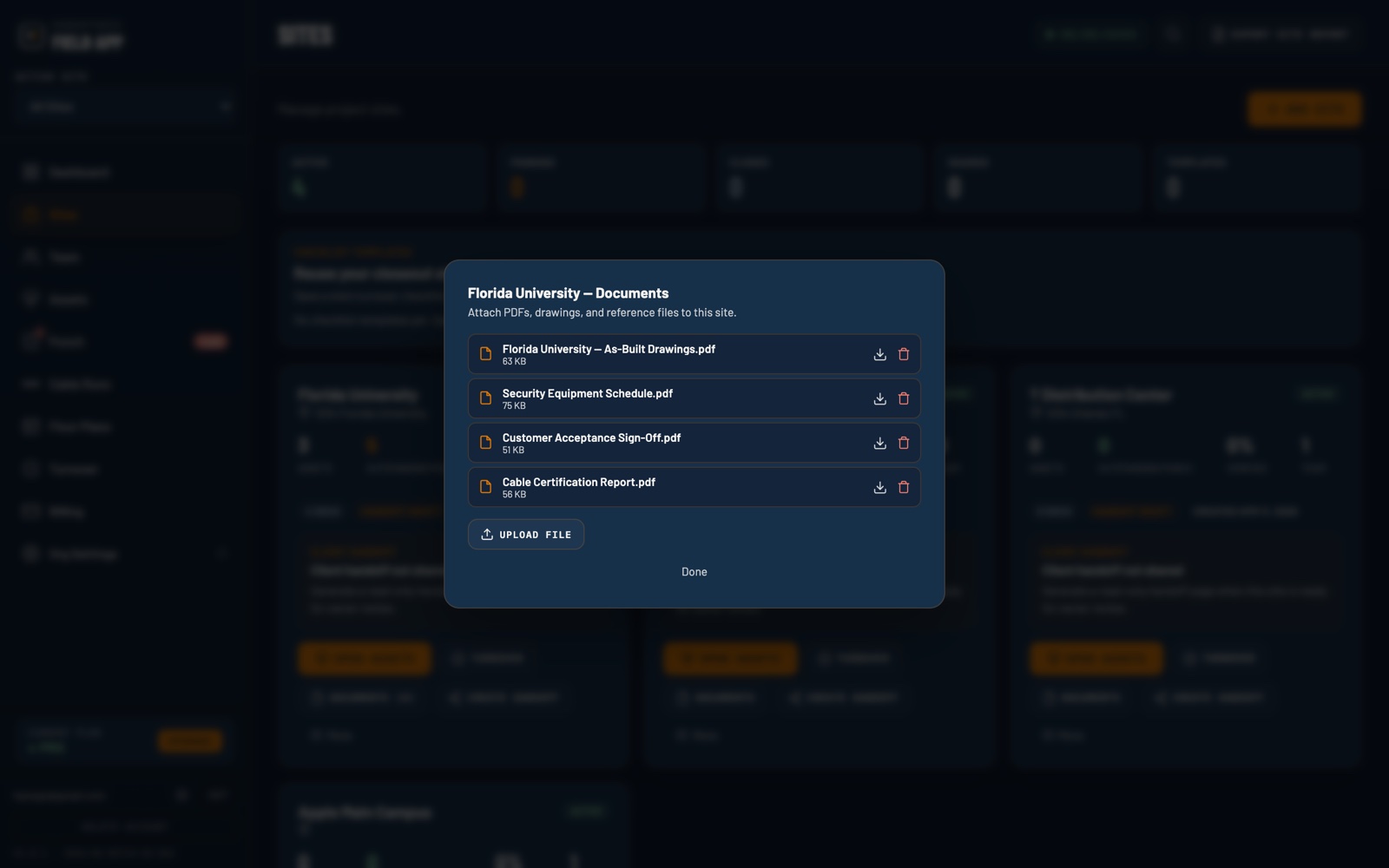
Document Storage

Attach project documents directly to a site — submittal packages, as-builts, warranties, signed acceptance forms. Everything your team and your customer need lives in one place, not scattered across inboxes and shared drives.

  • Attach PDFs, images, and spreadsheets per site
  • Organize by document type: submittal, as-built, warranty, acceptance
  • Viewable by the full project team with correct role access
  • Timestamped uploads with uploader record
  • Key documents surface in the PDF closeout report
Documents — Westlake Office Build-Out
Submittal Package — Rev C Submittal
As-Built Drawings — Final As-Built
Axis Warranty — 3yr · CAM-001 thru 018 Warranty
Signed Customer Acceptance Form Acceptance
4 documents · All attached to site record
Feature 09

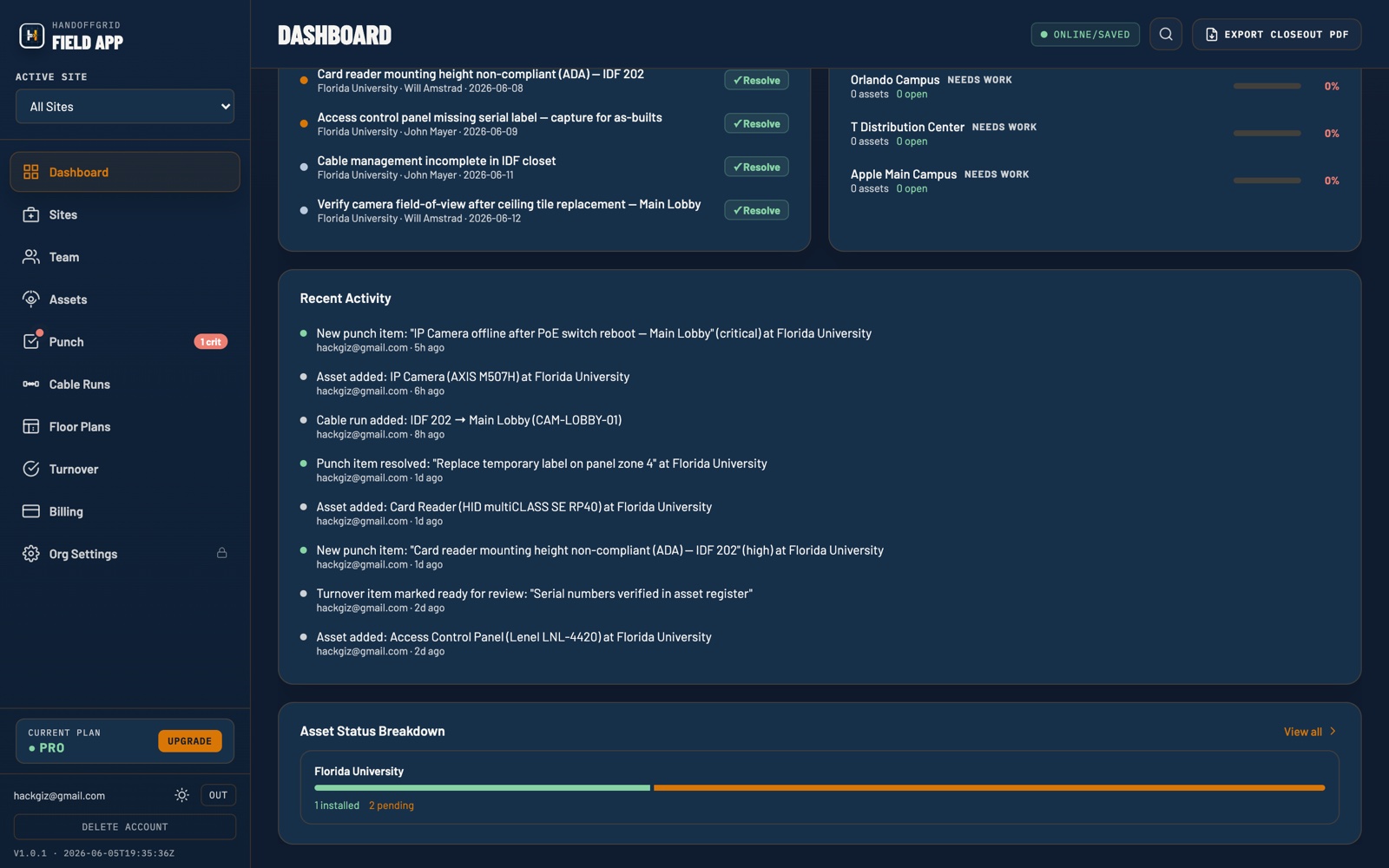
Activity Log

A full audit trail of every action taken on a project — who logged what asset, who resolved which punch item, who invited a new team member, and when. Stop digging through chat threads to figure out what happened on site.

  • Timestamped log of every team action across all modules
  • Tracks assets logged, punch items opened and resolved, invites sent
  • Filter by team member, date range, or action type
  • Visible to admins and project managers only
  • Available on Pro and Team plans
Recent Activity — Eastgate Project
Punch item resolved: Cable management incomplete · IDF james@integrator.com · 14 min ago
Asset logged: CAM-018 · Axis P3245-V · Stairwell D james@integrator.com · 1 hr ago
Team member invited: slin@eastgatecorp.com mike@integrator.com · 2 hr ago
Checklist item checked: Customer training completed mike@integrator.com · 3 hr ago
12 actions today · 2 team members active
Workflow

From kickoff to
signed handoff.

01
Create Site
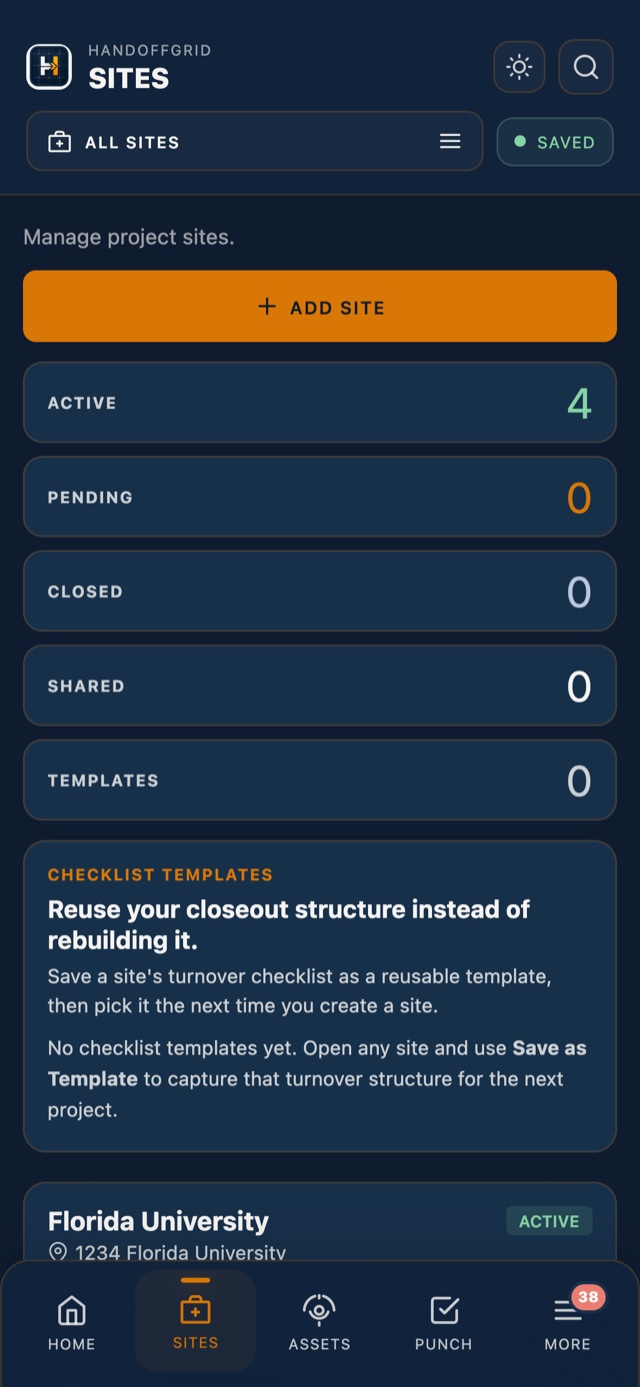
Add your project site with address and details. Invite your team by email in seconds.
02
Log Assets
Field techs log every device as it's installed — serial, IP, location, photos. From any device.
03
Track Punch
Open punch items as you find them. Assign, prioritize, and resolve. Automated reminders handle follow-up.
04
Verify Turnover
Work through the turnover checklist. Training done, docs delivered, punch cleared — before you close.
05
Export & Hand Off
One click generates the closeout PDF. Hand it to the customer. Project closed — documented, proven.

The people on
the project.

Integrators
Security Systems Integrators
Run cleaner projects, reduce callbacks, and hand off documentation that makes you look like the professional you are. Stop spending hours reformatting spreadsheets the night before handoff.
Owner Side
Corporate Security Managers
Manage outside integrators with confidence. Give owner reps read-only visibility so they can track progress in real time without needing a weekly status call.
Field
Field Technicians
Log what you install as you install it — from your phone or tablet. No paper, no re-entry. Your photos and notes go straight into the closeout report.
Get started today
Start free.
Close better.
Create your account in under a minute. Set up your first site. See what it feels like to hand off a project with documentation that speaks for itself.
Create Free Account